PermanentUnderclass: dictation for the Mac that doesn't flake out
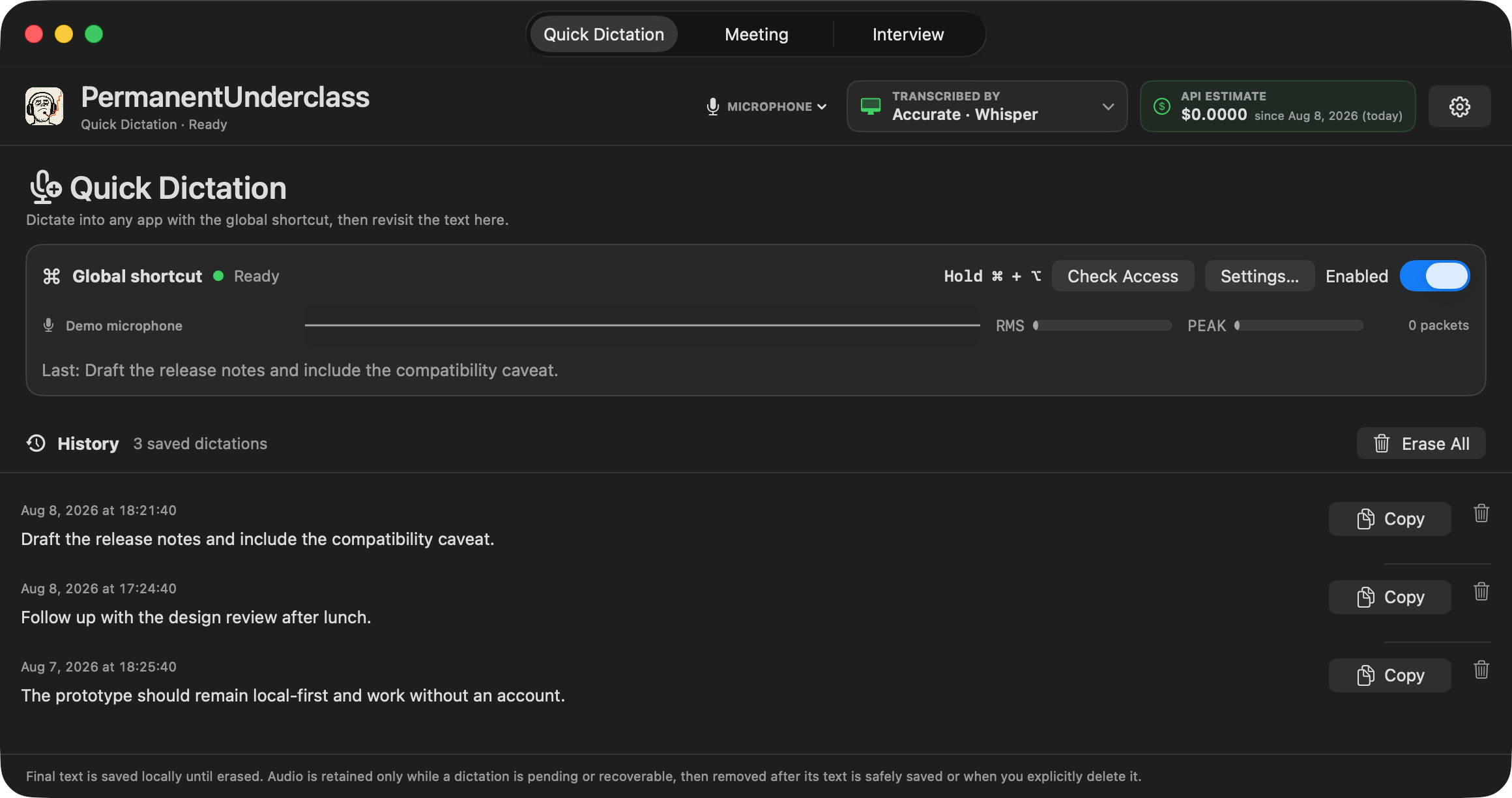
TL;DR: PermanentUnderclass is a new open source utility for macOS. Hold a hotkey, speak, and the text lands in whatever app you were using. It also captures meetings and interviews as two separate audio tracks, with real-time response cues popping up in a browser window. We built it because the existing dictation apps we tried were slow, crashed, or lost track of the microphone. Signed and notarized builds for Apple Silicon are on GitHub.
Why another dictation app
There are already several dictation apps for the Mac, and some are quite popular. Our problem with them was never the concept; it was the execution. The ones we tried were slow to start, would crash mid-session, or needed a restart to notice that the audio input had changed. A dictation tool that makes you wonder whether it heard you is worse than no tool at all.
So the reason PermanentUnderclass exists is blunt: the competition was unreliable, and dictation is the kind of utility where reliability is the entire product.
The details that set it apart
The overlay always shows which microphone is live. Audio inputs change constantly, with Bluetooth headphones connecting and disconnecting and docks coming and going, and most tools leave you guessing which input they are actually using. The Quick Dictation overlay displays the name of the active microphone every time, so there is never confusion about what is being recorded.
It starts fast and doesn't need restarts. The app launches quickly and keeps working when inputs are switched. No relaunching the tool to make it pick up a new device, no waiting when you are ready to speak.
You choose the engine, and we're honest about the trade-off. Local Whisper and Parakeet run on-device and need no account or API key. But right now we actually prefer OpenAI's transcription API, because it is simply more reliable, at the cost of privacy of course. Better local models will come, and the app is ready to adopt them; in the meantime it is nice to have the dependable option. A Privacy Lock ("Never contact OpenAI") disables every hosted path for the times you want to guarantee nothing leaves the Mac.
Meetings and interviews
The two-track modes are where the app earns its keep. Meeting mode captures the microphone and system audio as separate speaker tracks and keeps a live transcript. Interview mode does the same, with an Answer Mirror that suggests concise answer beats without inventing personal experience.
In both cases, real-time information pops up in a browser window, served only on the loopback interface, so you can glance at grounded cues about what was just said, or what to bring up next, without leaving the conversation. This has turned out to be invaluable.
A small detail we care about: every screenshot in the repository is generated by a synthetic documentation mode. The app renders fake history, fake transcripts, and fake process names, so documenting it never risks leaking real credentials or real conversations.
A personal utility, in the open
Like Little Control Room, this is a tool we built because we use it daily, and we publish it because others may find it useful. It changes quickly to suit our needs, so it doesn't accept external code contributions. Bug reports are welcome, the code is MIT licensed, and anyone is free to fork it.
It requires macOS 14.2 or newer and an Apple Silicon Mac for the local engines. Tagged releases ship a Developer ID signed, notarized build with a SHA-256 checksum.